


As a supplier of eddy current flaw detectors, I understand the importance of keeping these devices up - to - date with the latest software. Software upgrades can enhance the performance, functionality, and reliability of eddy current flaw detectors, ensuring that they meet the ever - evolving needs of the inspection industry. In this blog post, I'll share some key steps and considerations on how to upgrade the software of an eddy current flaw detector.
1. Determine the Need for an Upgrade
Before initiating any software upgrade, it's crucial to assess whether an upgrade is truly necessary. There are several factors that can indicate the need for a software upgrade. Firstly, new features and improvements might be available in the latest software version. For example, enhanced signal processing algorithms can provide more accurate defect detection, or new reporting capabilities can streamline the inspection process.
Secondly, compatibility issues can also be a reason for an upgrade. As operating systems and other peripheral devices evolve, older software versions of the eddy current flaw detector may face compatibility problems. This can lead to unstable performance or even prevent the detector from working properly with other equipment.
Thirdly, security vulnerabilities can pose a significant risk. Software developers regularly release updates to patch security holes, and using an outdated software version on an eddy current flaw detector can expose the device and the inspection data to potential threats.
2. Check Compatibility
Once you've determined that an upgrade is necessary, the next step is to check the compatibility of the new software with your eddy current flaw detector. Different models of flaw detectors may have specific software requirements, and using an incompatible software version can cause serious malfunctions.
Contact the manufacturer or supplier of your eddy current flaw detector to obtain detailed information about the software compatibility. They can provide you with a list of supported models and software versions, as well as any hardware requirements for the upgrade. Make sure to provide them with the exact model number and serial number of your device to ensure accurate information.
3. Backup Your Data
Before starting the software upgrade process, it's essential to back up all the important data stored on your eddy current flaw detector. This includes inspection reports, calibration data, and any user - defined settings. Losing this data during the upgrade process can be extremely costly and time - consuming to recover.
Most eddy current flaw detectors offer built - in data backup functions. You can usually save the data to an external storage device, such as a USB flash drive or an SD card. Follow the manufacturer's instructions carefully to ensure that the backup process is completed successfully.
4. Obtain the New Software
There are several ways to obtain the new software for your eddy current flaw detector. The most common method is to download it from the manufacturer's official website. Visit the website and navigate to the support or downloads section. Look for the software upgrade package that is compatible with your device model.
Some manufacturers may also provide the software on a physical media, such as a CD or a DVD. You can request this option if you have difficulty downloading the software or if you prefer a more traditional method.
It's important to ensure that you are downloading the software from a trusted source. Downloading software from unauthorized websites can expose your device to malware and other security risks.
5. Prepare the Flaw Detector for Upgrade
Before installing the new software, you need to prepare the eddy current flaw detector. First, make sure that the device is fully charged or connected to a reliable power source. A power outage during the upgrade process can cause the device to malfunction or even become permanently damaged.
Next, clean the device and remove any external accessories, such as probes or cables. This can prevent any interference during the upgrade process.
6. Install the New Software
Once you have obtained the new software and prepared the flaw detector, it's time to install the software. The installation process may vary depending on the model of your eddy current flaw detector and the software version.
In most cases, you can simply run the installation program on the device. Follow the on - screen instructions carefully, and make sure to read all the prompts and warnings. The installation process may take some time, depending on the size of the software package and the performance of your device.
During the installation, do not interrupt the process or turn off the device. This can lead to incomplete installation and cause the device to malfunction.
7. Test the Flaw Detector
After the software installation is complete, it's crucial to test the eddy current flaw detector to ensure that it is working properly. Perform a series of basic tests, such as powering on and off the device, checking the display, and running a simple inspection.
Verify that all the new features and improvements are working as expected. If you encounter any issues or errors during the testing process, refer to the manufacturer's troubleshooting guide or contact their technical support team for assistance.
8. Update User Manuals and Training
Once the software upgrade is successfully completed and the flaw detector is working properly, it's important to update your user manuals and provide training to the operators. The new software may have different interfaces, functions, and operating procedures, so the operators need to be familiar with these changes.
Provide updated user manuals that cover the new software features and functions. Conduct training sessions to ensure that the operators can use the eddy current flaw detector effectively and safely.
Conclusion
Upgrading the software of an eddy current flaw detector is a crucial process that can enhance the performance, functionality, and reliability of the device. By following the steps outlined in this blog post, you can ensure a smooth and successful software upgrade.
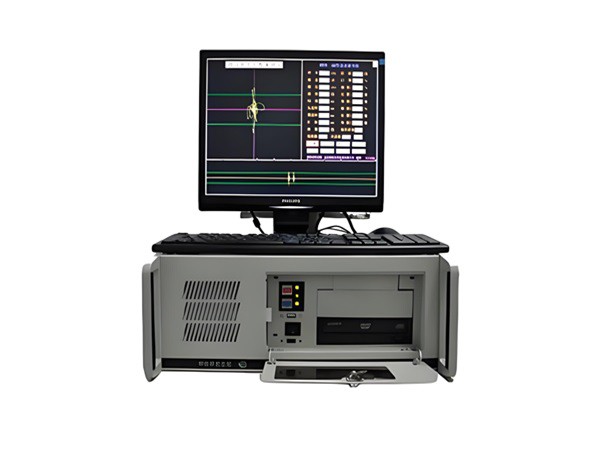
If you are in the market for a high - quality eddy current flaw detector, you might be interested in our High - Speed Automatic Eddy Current Flaw Detector for Steel Tubes. This state - of - the - art device offers advanced features and excellent performance for steel tube inspection.
If you have any questions about software upgrades or are interested in purchasing an eddy current flaw detector, please feel free to contact us. Our team of experts is ready to assist you with all your inspection needs.
References
- Manufacturer's user manuals and technical documentation for eddy current flaw detectors.
- Industry standards and guidelines related to non - destructive testing and equipment software upgrades.